External Integrations (A.K.A. Agents)
Navidrome uses external services (through agents) to enrich your music library with artist biographies, images, album covers, similar artists, and more. Multiple agents can be configured, and they are tried in priority order. If one fails or returns no results, the next one is tried.
How Agents Work
The Agents config option controls which agents are enabled and in what order. It accepts a comma-separated list of agent names.
The default is "deezer,lastfm,listenbrainz", meaning Deezer is tried first, then Last.fm, then ListenBrainz. A built-in local agent is always appended automatically as a final fallback.
To disable a specific agent, either remove it from the Agents list or set its individual *.Enabled option to false. To disable all external integrations at once, set EnableExternalServices to false.
Last.fm
Last.fm provides the broadest set of metadata among the built-in agents.
Provides: Artist biographies, artist images, similar artists, top songs, album covers, similar songs
Configuration: Requires API keys. Set the
config options
LastFM.ApiKey and LastFM.Secret. You can obtain these values by creating a free API account in Last.fm:
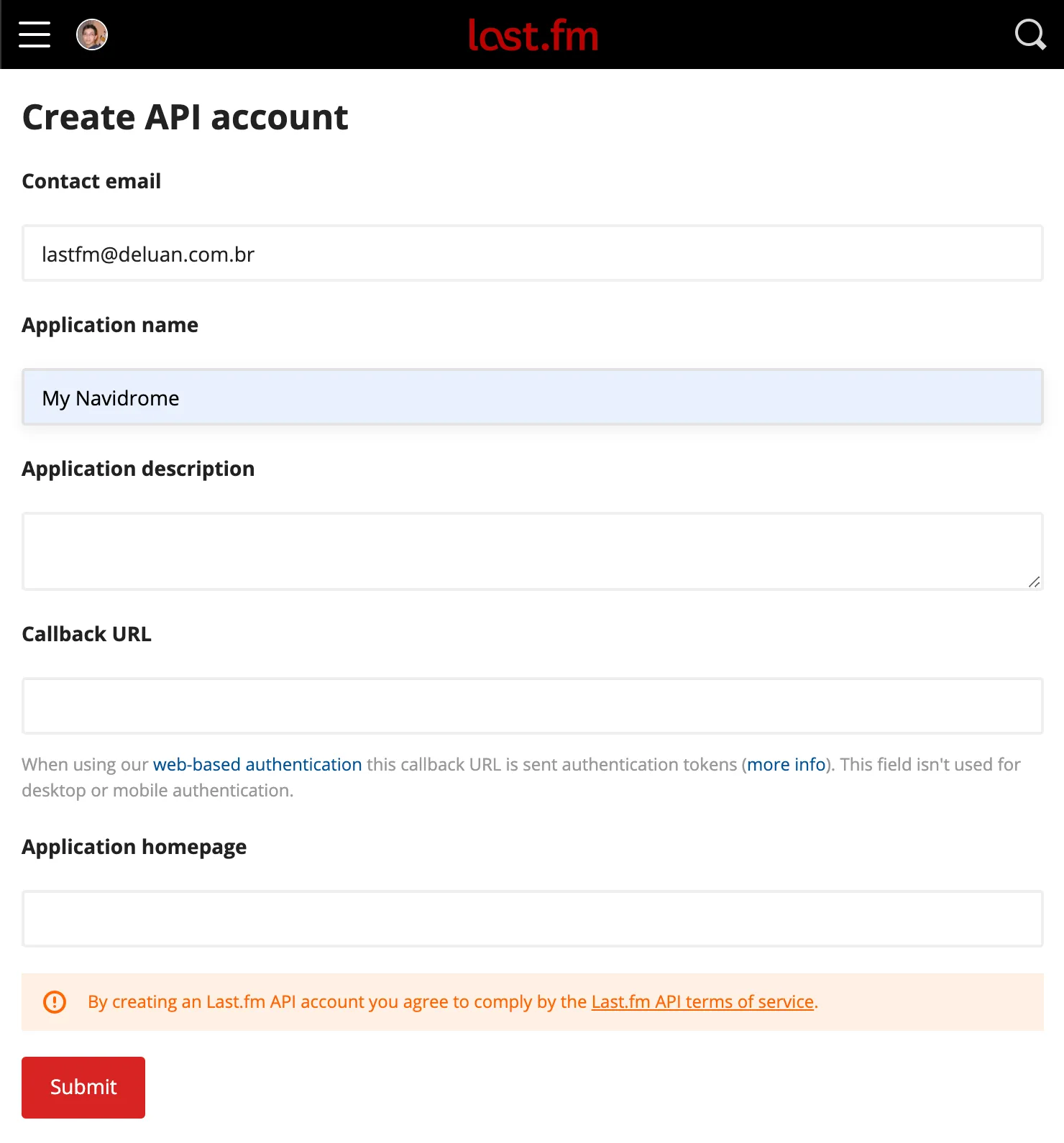
- Go to https://www.last.fm/api/account/create and create an API account. Only the Application Name field is mandatory:
- After submitting the form, you can get the API Key and Shared Secret from the Account Created page:
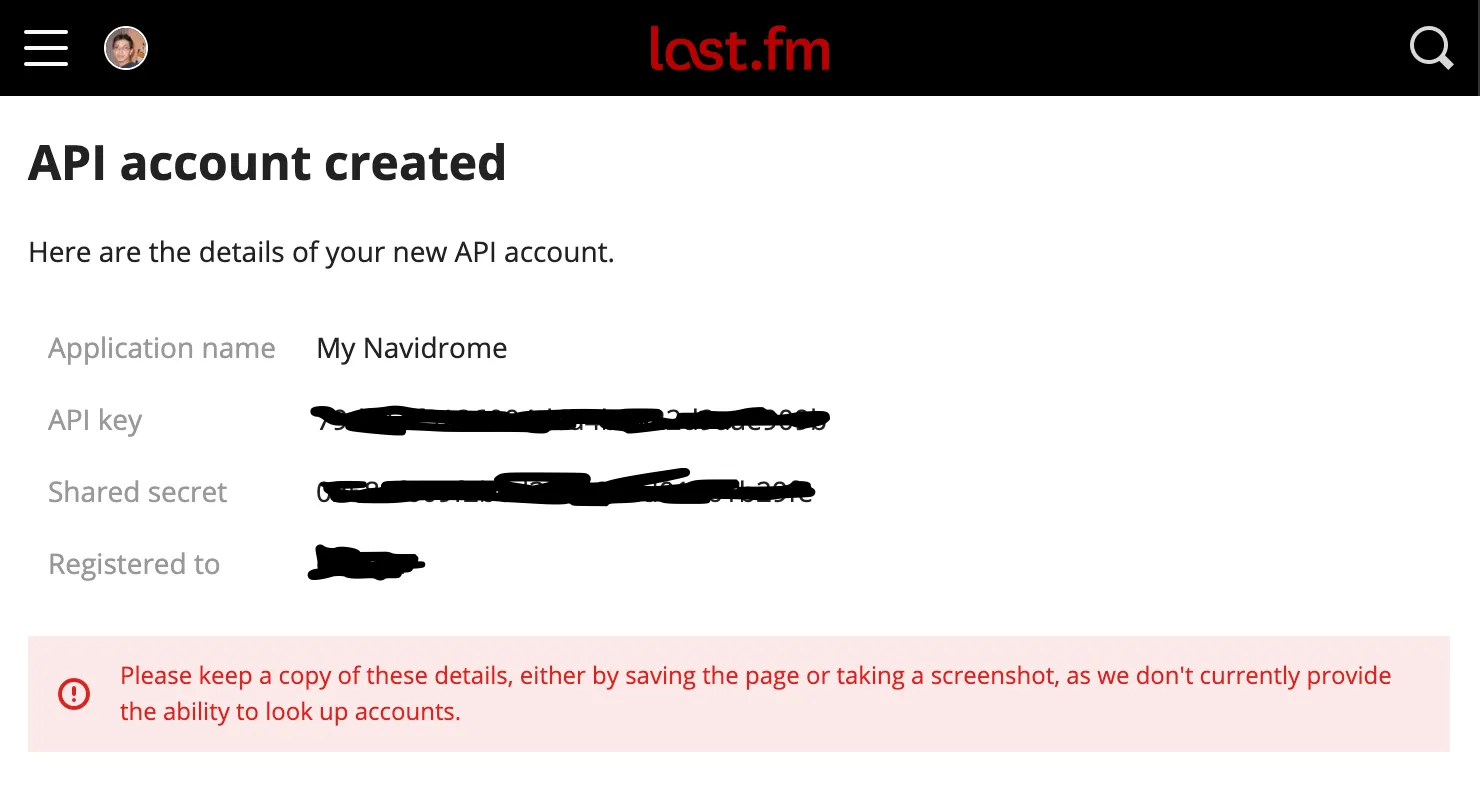
- Copy the values above to your configuration file as
LastFM.ApiKeyandLastFM.Secret(or set them as environment variablesND_LASTFM_APIKEYandND_LASTFM_SECRET) - After the configuration is done, you can set up scrobbling for your user.
Last.fm can be completely disabled by setting LastFM.Enabled to false.
Deezer
Deezer’s public API doesn’t require API keys or authentication, making it the simplest external integration.
Provides: Artist images, artist biographies, similar artists, top songs
Configuration: Enabled by default, no setup required. To disable it, set Deezer.Enabled to false in your configuration file or set the environment variable ND_DEEZER_ENABLED to false.
ListenBrainz
ListenBrainz provides metadata based on MusicBrainz data and community listening statistics. It works best when your music files have MusicBrainz IDs in their tags.
Provides: Artist URLs, similar artists, top songs, similar songs
Configuration: Enabled by default, no setup required for metadata. To disable it, set ListenBrainz.Enabled to false.
ListenBrainz also supports scrobbling, which requires per-user authorization.
Local Agent
The local agent is always active and serves as the final fallback. It provides top songs based on your own library’s play counts and ratings. No external service is contacted.
Extending with Plugins
Navidrome’s external metadata capabilities can be extended through plugins. Plugins can provide additional metadata agents for artist and album information and images, lyrics providers, and scrobblers. See the Plugins documentation for more information.
Feedback
Was this page helpful?
Glad to hear it! Please tell us how we can make this documentation even better.
Sorry to hear that. Please tell us how we can improve this documentation.